

Digital Marketing
The Silent Killer of 2026 Local SEO: Missed Calls Demote Your Rankings
The 2026 Paradigm Shift: Beyond the Blue Link In 2026, the search landscape has shifted from
When a potential client needs a local professional, their attention goes straight to Google’s “Map Pack”—the block of top business listings shown with a map at the very top of the search results. Appearing here is often the difference between getting the first call and not being seen at all. From this highly visible section, many potential clients will make their decision—to call, book, or dismiss you—without ever clicking through to your website. This reality makes your Google Business Profile your main digital priority.
Many professionals start by asking the basic question, how do you list your business on Google? But to win against top competitors, a more advanced strategy is required. This guide provides the same strategic framework a local search engine optimization agency uses to achieve top placements. We move beyond the initial setup to show you how to build a profile that wins clients by establishing trust and expertly managing your reputation in the Map Pack.
The landscape of seo for local companies has been fundamentally reshaped by user behavior. According to a 2025 industry analysis by BrightLocal, 83% of consumers now use Google to evaluate local businesses.
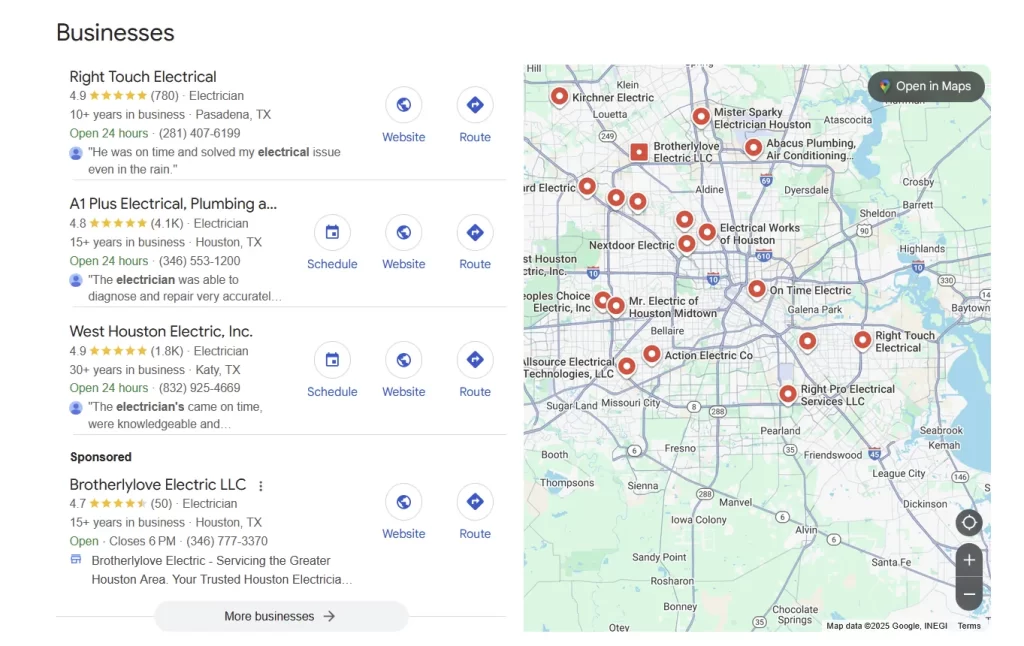
This is the new front line for client acquisition.
For professionals whose credibility is everything, this makes your profile the ultimate trust signal. The same BrightLocal report found that 76% of consumers “regularly” read online reviews. This means the basic question of how to get a google business page is insignificant compared to the real work of local seo optimization: curating a profile that instantly conveys expertise and reliability. Your star rating is often the first and only impression you get to make.
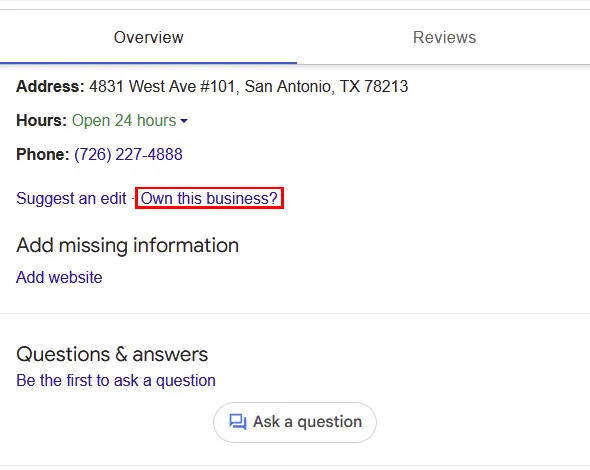
Before you can optimize, you must have ownership. Many businesses either have a profile they didn’t create (auto-generated by Google from public data) or have no profile at all. Securing control of this asset is the mandatory first step.
A high-performing Google Business Profile is built on a foundation of strategic, accurate data. The following four elements are the most critical to get right from the very beginning, as errors here can significantly harm your visibility.
Your Primary Category is one of the most significant factors in your local ranking. The costliest mistake is choosing a category that is too broad. For instance, selecting “Lawyer” when your specialization is “Personal Injury Attorney” makes you less relevant for high-value searches. Be as specific as Google’s list allows for your primary choice. Use secondary categories to cover other core services, but avoid anything that is not a core part of your business.
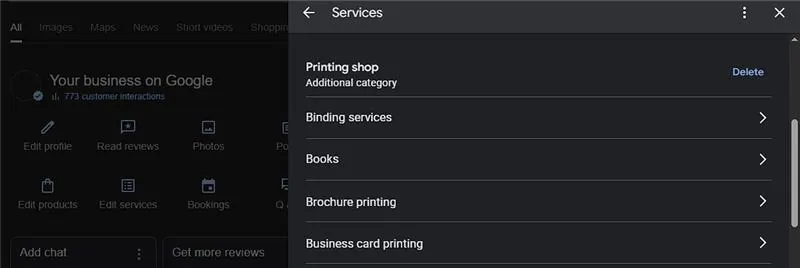
Your description should speak to the client’s problem, not your company’s history. Its goal is to earn a call.
Don’t Do This: “We are a full-service dental clinic founded in 2005. We offer general dentistry, cosmetic services, and orthodontics.”
Do This Instead: “Ready to regain your confident smile? Our experienced Laredo team provides compassionate dental care, from routine cleanings to complete smile makeovers. We accept walk in visits or contact us to book your appointment.
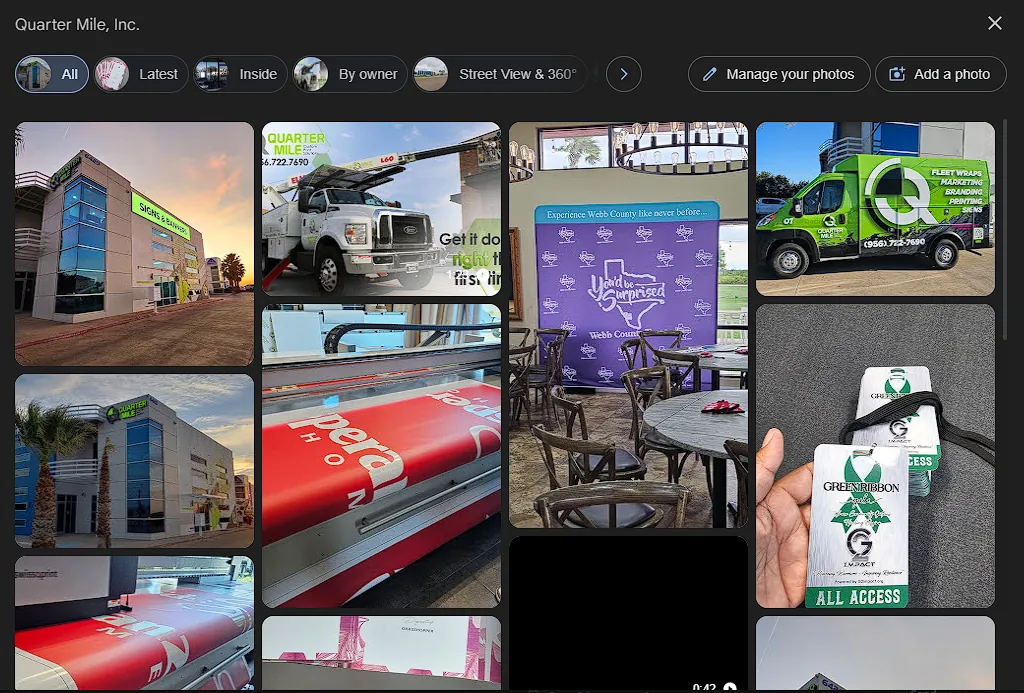
Stock photos and AI-generated images create distrust. Google’s own guidelines state that your photos should “represent reality” and avoid “significant alterations or excessive use of filters.” To build a comprehensive and trustworthy visual profile, Google specifically recommends including:
To see the whole google recommendations on GBP images you can visit their page.
Google measures trust through data consistency. A core rule of local SEO is that your Name, Address, and Phone number (NAP) must be 100% identical across your website, your Google Profile, and all other online directories. Even minor variations can erode Google’s trust and harm your ranking. According to Moz common mistakes include:
With a technically sound profile, the next step is to build social proof. A strong reputation is the most powerful asset for any professional, and your Google Business Profile is where that reputation is most visible. This module focuses on the ongoing strategies to manage and grow it.
Positive reviews are a major factor in how clients choose a professional. In fact, 75% of consumers who are asked to leave a review go on to do so (Source: BrightLocal, 2025) . The key is to make the process simple and ethical.
A negative review is an opportunity to demonstrate your professionalism. Responding appropriately can actually win over prospective clients; 89% of consumers say they would be more likely to use a business that responds to all reviews.
The Questions & Answers section on your profile can be populated by anyone. The best strategy is to proactively provide the answers to common questions yourself.
A solid profile is just the beginning. The next step is proactive engagement. This module will show you how to use Google’s built-in features to actively attract, engage, and convert potential clients directly from your profile listing.
If you’d like a more personalized review of your profile, you can schedule a free 1:1 meeting with us for a Google Business Profile Audit.
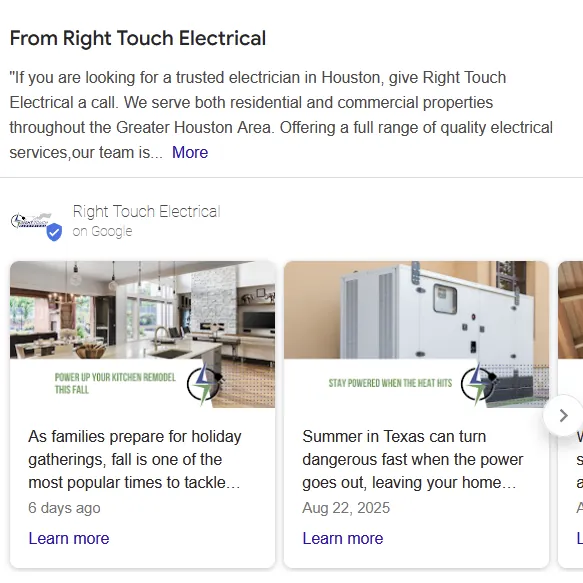
Beyond the foundational photos, your images and videos should tell a story that proves your expertise. Clients need to visualize a successful outcome, and generic photos fail to do this. Your goal is to provide visual proof that you are the right choice.
Think of Google Posts as a mini-blog or a social media feed directly on your search results page. Regular posting signals to Google that your profile is active and provides fresh, relevant content for users. Aim to post once a week.
Always include a high-quality image and a clear call to action (like “Call Now” or “Learn More“) on every post.
Google provides several features designed to turn searchers into leads. Activating the right one for your business can significantly increase inbound inquiries.
Implementing all of these elements correctly takes time and a deep understanding of the competitive landscape. If you are serious about dominating your local market or want an expert to identify your biggest growth opportunities, the next step is a personalized review.
We invite you to book a 1:1 Local SEO Audit video call at no cost. In this session, we will analyze your current Google Business Profile, identify key areas for improvement, and provide you with actionable insights to help you get more clients from local search.
Click here to schedule your free, no-obligation audit call today.
The 2026 Paradigm Shift: Beyond the Blue Link In 2026, the search landscape has shifted from

Let’s be honest about the math. If you run a service business in the United States—whether

It’s 2026. From retail spots on San Antonio to logistics providers near the World Trade Bridge,